
Unit 4
Image Processing and Multimedia
Unit Overview
- Throughout history people have used various ways to communicate and convey ideas.
- Multimedia is a form of communication that combines different forms of content, such as text, audio, image, animation and video, into a single interactive presentation.
- It began with newspapers, the first mass medium, which used text, graphics and images; radio and television followed for audio and video broadcasting.
- Multimedia is like a vehicle that carries information from its source to its destination.
- Image processing is a method of performing operations on an image in order to get an enhanced image or to extract useful information from it.
- It is done with application software such as the commercial Adobe Photoshop and the free GIMP.
- This unit covers image capturing, cropping, resizing, correcting and sharpening.
- The textbook's pictures of the Photoshop window are replaced here by practice boxes; the photographs that show the result of each operation are kept.
🎯 Learning Outcomes
- Describe image processing.
- Edit images captured from different sources such as a digital camera.
- Use image software to create, import and save image files.
- Use image software to resize, cut and edit images.
4.1 Image
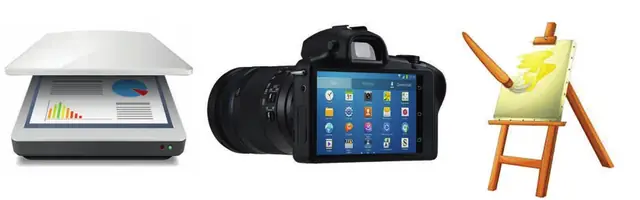
An image is a visual representation of a person, an animal or a thing, in the form of a photograph, a painting, a sculpture or anything else made visible.
- A painting.
- A picture taken with a camera.
- A picture that has been created or copied and stored in electronic form.
- A picture scanned with an image scanner.
4.1.1Digital Images
- Computers do everything by processing series of zeros and ones called binary digits (bits).
- Whether you take a picture with a digital camera or scan a photo, you are digitizing the image.
- A digital image is an image represented digitally, that is, in groups of bits called pixels.
- A pixel is the smallest element of an image: a single dot that, together with the others, makes up the picture.
4.1.2Digital Image Processing
- Image processing is a computational technique for analysing, enhancing, compressing, reconstructing and generally performing operations on an image.
- Digital image processing manipulates digital images by computer to enhance their quality and improve the pictorial information for human perception.
- It starts with importing, in which the image is captured through a scanner or a digital camera; analysis and manipulation are done with specialized software; and the result goes to an output device such as a printer or a monitor.

🔒
The rest of Unit 4 is in the Danulearn app
Read the full notes for all 3 sections, worked examples and figures, plus 4 exercises with step-by-step solutions, the Short Note and the unit review.
📑 Contents
- 4.1ImagePreview
- 4.2Multimedia Production Planning Strategies🔒
- 4.3Using Image Processing Software🔒