
Unit 1
Organization of Files
Unit Overview
- This unit introduces files and file organization in computer systems.
- A computer file can be generated by the system, created by the user or transferred from other sources.
- You will learn how to manipulate files: creating, copying, renaming, moving, deleting and searching.
- A folder is a mechanism for keeping computer files in an organized manner, and the unit also covers the folder tools of the operating system and the drives of a computer.
- The textbook shows each procedure with pictures of the Windows File Explorer window.
- Here every procedure is a practice box: do the steps on a computer and tick them off.
🎯 Learning Outcomes
- Explain file, folder and drive.
- Manipulate files and folders.
- Explore the drives of a computer system.
1.1 Basics of Files and Folders
1.1.1Files
- A file is a collection of data stored in one unit and identified by a filename.
- It can be a Word document, a spreadsheet or a PowerPoint presentation, a picture, a text, a video or an audio.
- Files are represented by icons, which are small graphical representations of files.
- Because there are different file formats, the icon helps to identify the type of a file or the program associated with it.
1.1.2Folders
- A folder, also called a directory, is a container used to store related files together.
- A folder can contain another folder inside it; a folder contained in another folder is called a subfolder.
- A good analogy is the manila folder (dossier) used in an office to store papers and reports.
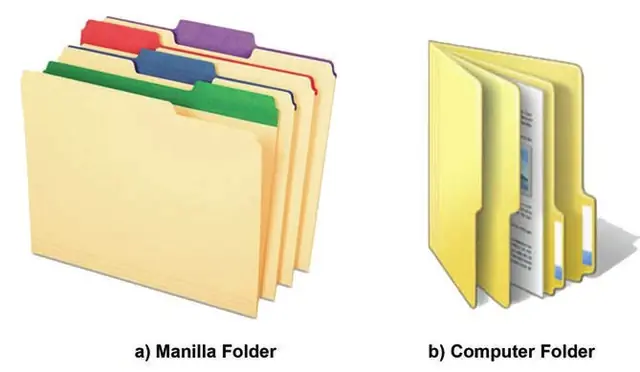
- A file is a collection of interrelated data and information, whereas a folder is a container that stores different files and subfolders.
- Files are of different types, such as text, video, document and image, and each type has its own extension.
- Folders do not have extensions.
Importance of folders
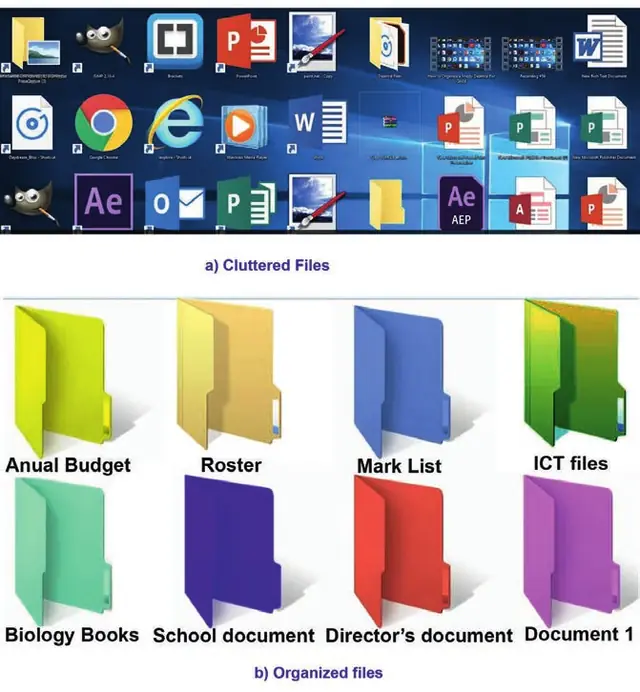
- Folders keep related files organized together, which makes files easy to locate.
- Without folders, all your documents, programs and operating system files would be in the same place.
- Folders also allow more than one file to have the same name: My-letter.doc can be in the My Documents folder and another My-letter.doc in a folder called Letter collection.
- If all files were in a single place, every file would need a unique name.
🔒
The rest of Unit 1 is in the Danulearn app
Read the full notes for all 3 sections, worked examples and figures, plus 5 exercises with step-by-step solutions, the Short Note and the unit review.
📑 Contents
- 1.1Basics of Files and FoldersPreview
- 1.2Managing Files and Folders🔒
- 1.3Computer Drives🔒