
Unit 4
Image Processing and Multimedia
4.1Unit Overview
- In Grade 9 you learned image processing: performing operations on an image to enhance it or to extract useful information from it.
- This unit covers the basics and components of multimedia, multimedia file formats, multimedia production, multimedia authoring and authoring tools, multimedia editing, and computer animation.
- The textbook illustrates the editing procedures with pictures of the Macromedia Flash MX and Adobe Premiere Elements 9 windows.
- Here each procedure is a practice box to follow on a computer.
🎯 Learning Outcomes
- Explain multimedia and its components.
- Identify multimedia file formats.
- Describe multimedia production and the people involved.
- Explain multimedia authoring and authoring tools.
- Edit text, images, sound and video in a multimedia project.
- Create a simple animation.
4.2 Basics of Multimedia
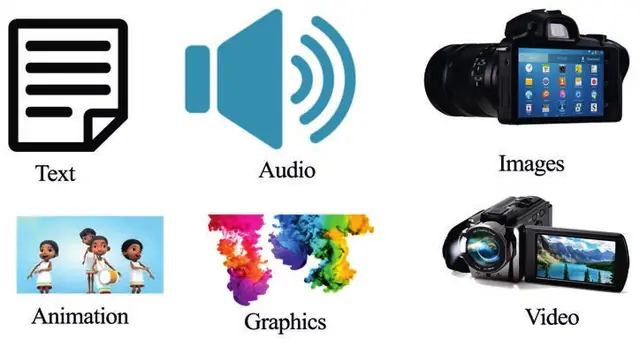
- Multimedia is a representation of information, attractively and interactively, with a combination of text, audio, video, graphics and animation.
- In other words, it is a computerized method of presenting information that combines textual data, audio, visuals, graphics and animations.
Importance of Multimedia
- Multimedia enhances the way we learn and understand.
- Integrating several media multiplies the impact of the message and improves the retention of information.
- Multimedia plays an important role in education, entertainment, public places, collaboration and healthcare.
Education
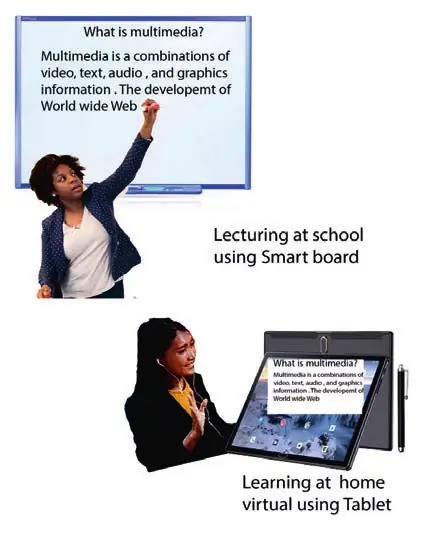
- Programs such as Microsoft PowerPoint let classrooms present with graphics and visuals.
- Interactive graphics clarify ideas.
- Multimedia activities encourage students to work in groups, express their knowledge in several ways, solve problems and revise their work.
- Students can also learn new skills without a teacher's guidance, as in virtual learning: a learning experience enhanced by computers and the Internet, in which teacher and learners are separated by place, time or both.
Entertainment
People watch movies, listen to music and read books with multimedia on the move, wherever they go.
Public places
- Multimedia is available at stand-alone terminals, or kiosks, in hotels, railway stations, shopping malls, museums and libraries.
- In places of worship, live video with song lyrics is shown on large screens.
Collaboration
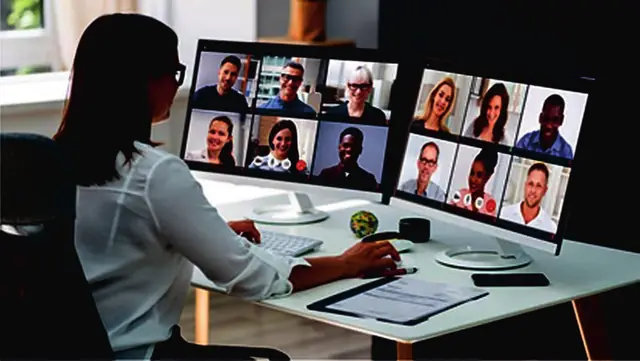
- Multimedia platforms link two or more people in different regions of the world through chat, social networking and video cameras.
- A virtual meeting is a collaboration technique in which people anywhere share ideas using audio, video conferencing, screen sharing and webinars.
Healthcare
🔒
The rest of Unit 4 is in the Danulearn app
Read the full notes for all 5 sections, worked examples and figures, plus 7 exercises with step-by-step solutions, the Short Note and the unit review.
📑 Contents
- 4.2Basics of MultimediaPreview
- 4.3Multimedia File Formats🔒
- 4.4Multimedia Production🔒
- 4.5Multimedia Authoring and Authoring Tools🔒
- 4.6Multimedia Editing🔒